Capture anything
Scan with the multi-page document camera, or import from Photos and Files, including PDFs.
For iPhone and iPad · iOS 26
Scan a page, a whiteboard or a screenshot and get clean, structured Markdown: headings, lists, tables, code. Everything runs on your device. Nothing you capture leaves it.
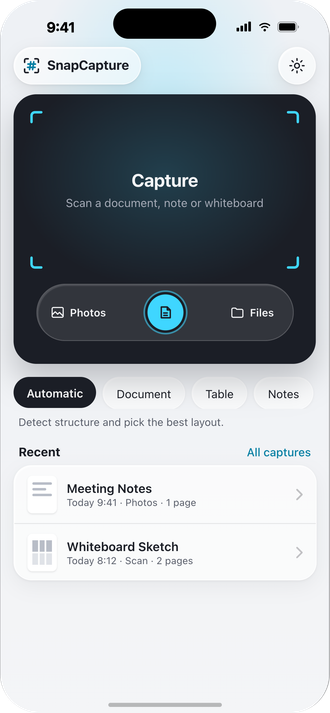
Scan with the multi-page document camera, or import from Photos and Files, including PDFs.
Headings, paragraphs, lists, task lists, tables, code blocks and quotes, inferred on device, refined by Apple Intelligence where available.
Edit the Markdown in place, revert to the original, or reprocess in a different mode without rescanning.
Copy, share the .md file over AirDrop, or save to Files and iCloud, with the original page alongside.
Private by design
OCR, structuring and rendering all run locally. The only network request the app can make is an optional 715 MB table-model download that you can decline, and nothing about your captures is sent with it.
Read the privacy policy